Microsoft Outlook meets your handwritten plan.
Bring your Outlook calendar into Digital Planner for iPad. Make room for meetings, focused work, and the handwritten notes that give your day context.
 Microsoft Outlook integration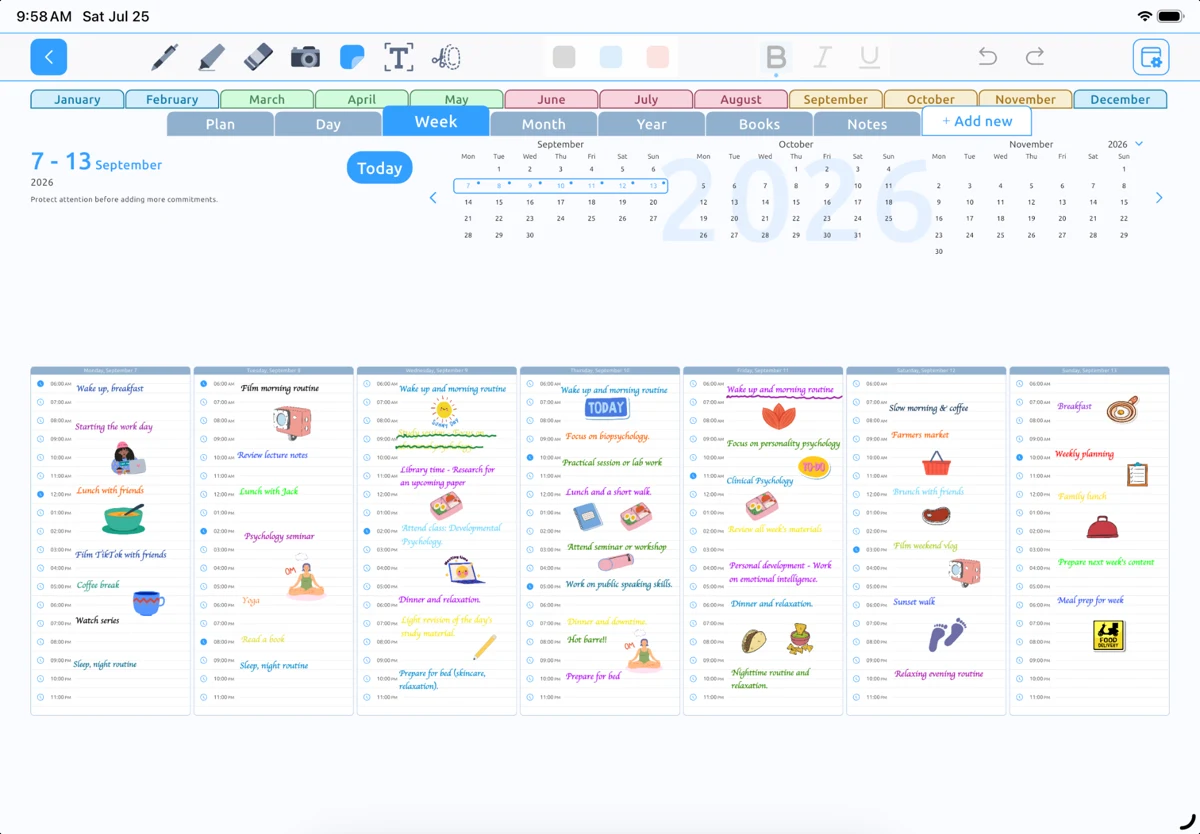
Plan the work around your meetings
Your Outlook calendar holds your scheduled commitments. Your planner gives you space to prepare for them, write down priorities, and think through what needs to happen next.
Digital Planner supports Microsoft Outlook calendar integration alongside daily, weekly, and monthly planning. Use the weekly view to see where your attention is needed, then focus on the details of today.
Connect the calendars that matter to your day
Use the calendar integration options in Digital Planner to connect your Microsoft account and allow the calendar access needed for your setup. Choose the supported calendars you want to use in your planning routine.
Work and school accounts may have access rules set by your organization. If a calendar is unavailable, check the account permissions and ask our support team for help.
Get help with Outlook calendarsLeave room for preparation and follow-through
A meeting can take more time than the appointment itself. Use Apple Pencil to write a preparation checklist, capture a question, or note what you need to do afterward.
Keep scheduled commitments in your calendar and use handwriting for the surrounding detail. Writing a time on a planner page does not automatically create an Outlook event.
Explore Apple Pencil planningBring the rest of your day into the picture
If your personal plans live in another calendar, Digital Planner also supports Apple Calendar and Google Calendar. Apple Reminders integration gives your task lists a place in the same planning routine.
Review both work and personal commitments before choosing your priorities. A useful plan makes room for the whole day.
Explore all calendar integrationsDoes Digital Planner support Microsoft Outlook calendars?
Yes. Digital Planner supports Microsoft Outlook calendar integration. Availability depends on the permissions you grant and your Microsoft account configuration.
Can I connect a work or school account?
Your organization may control which applications can access its calendars. Check your account permissions and organizational settings, or contact our support team for help.
Is this an email integration?
This page describes Microsoft Outlook calendar integration for planning. It does not describe an Outlook email inbox inside Digital Planner.
Make room for
a better-planned day.
Your handwriting. Your schedule. Your way.
Download on theApp StoreFor iPad · Designed for Apple Pencil